For high walk-in operations: clinics, service counters, retail studios, and public-facing desks.
Digital queues for busy lobbies.
Guests join by QR or link and get a text when it is their turn. Staff run the line from one screen.
7-day trial · No credit card
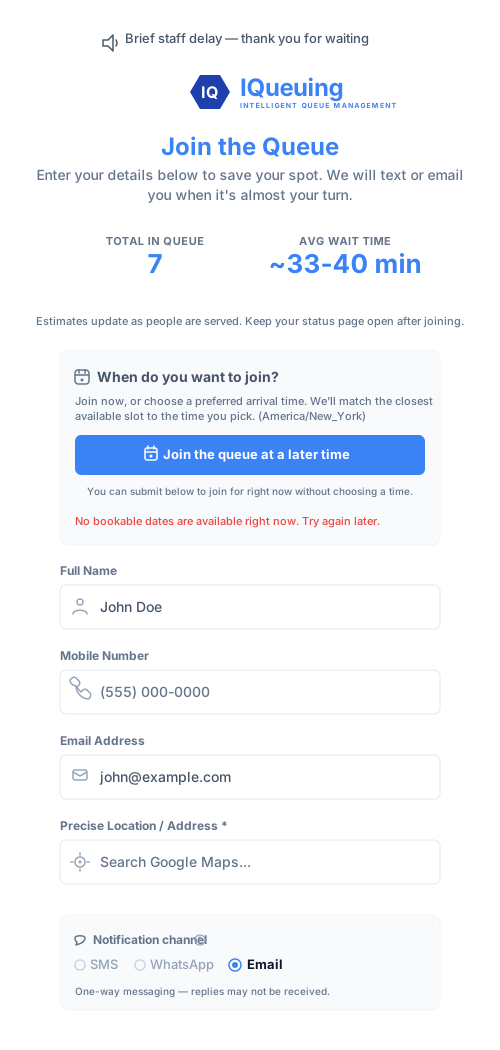
Join the waitlist from anywhere.
Allow customers to join remotely via QR code or SMS link.
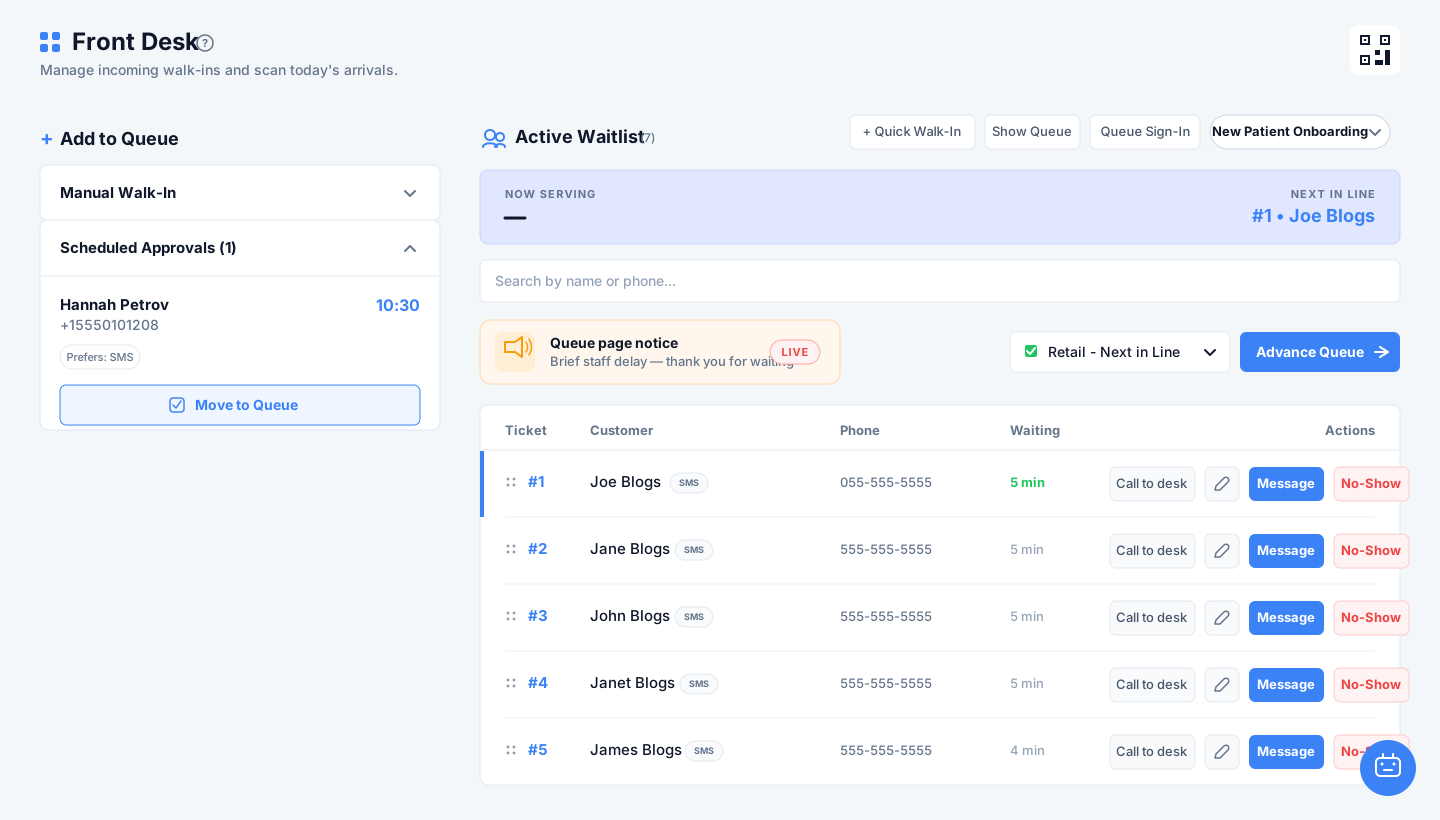
Run the line from one front-desk screen.
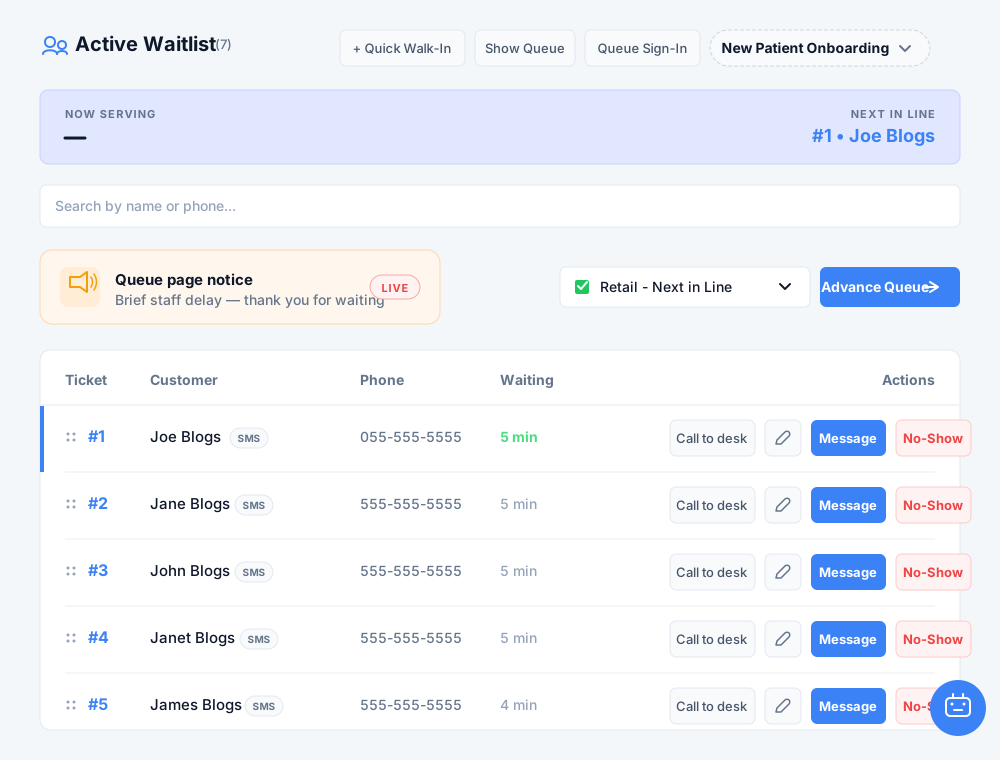
Staff see wait times, call the next guest, and can print a queue ticket from Front Desk.
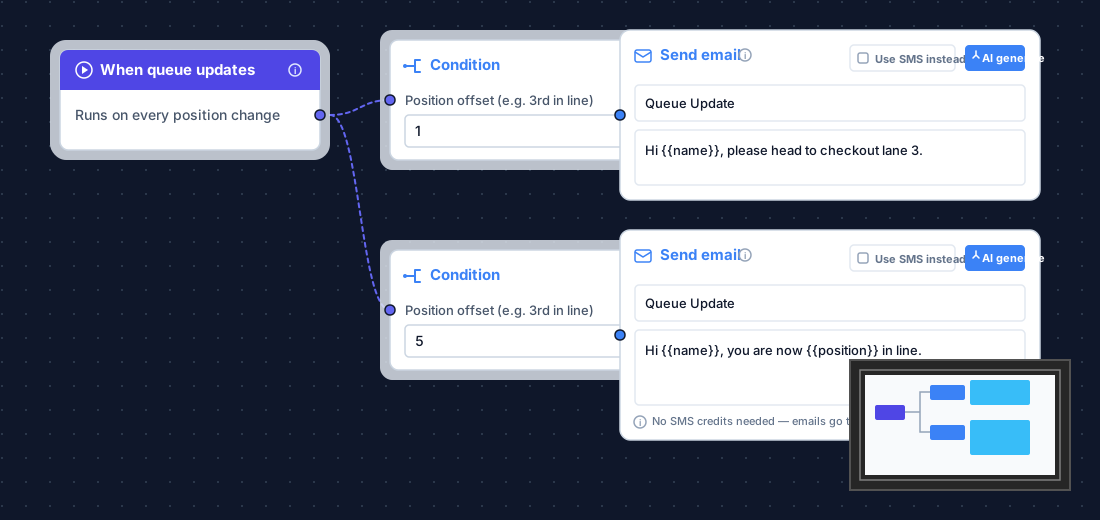
Keep everyone informed, automatically.
Cast your live queue to lobby displays and trigger automated SMS alerts based on queue position.
See who came in, how long they waited, and what followed.
Wait times, peaks, no-shows, and channel stats with CSV export—operational analytics for desk reviews, not a separate BI suite.
Queue capabilities
Everything in Front Desk, the lobby, and the link
Join from anywhere
Let guests join from anywhere. Use QR codes and links to capture guest info instantly—keeping your lobby quiet and orderly.
One Front Desk screen
See wait times, tickets, and no-shows on one screen. Print a number stub when you need a paper ticket.
Reprioritize without chaos
Adjust on the fly. Need to make a change? Simply drag and drop to reorder. Guests are notified of their new position automatically.
Message templates you can edit
Send messages that sound like you. Use pre-set templates to send clear, professional updates in seconds—no matter how busy you get.
Advance the line deliberately
Keep service moving. A single click is all it takes to call the next guest forward, keeping your counter workflow efficient.
Lobby displays that tell the truth
Keep guests informed. Show wait times and status updates on your lobby screens so guests always know where they stand.
TV slides while they wait
Turn wait time into messaging time. Use your lobby screens to share important info while guests wait, making downtime productive.
Capacity, hours, resets
Automate your flow. Manage business hours, queue pauses, and reset times automatically to stay ahead of the rush.
Scheduled / preferred join
Control the crowd. Let guests schedule their visit in advance to prevent everyone from arriving at your door at the same time.
Join form you control
Choose the fields guests fill in. Optional: turn on print for a lobby tablet so a number stub comes out of your printer.
Print a queue ticket
Print a number stub from the lobby tablet or Front Desk. Pick the paper size for your label or ticket printer. Optional — guests can still wait with SMS only.
Automated Workflows (Queue Maker)
Send SMS, email, or webhooks when wait time, position, or keywords match—so your team can focus on the guest in front of them.
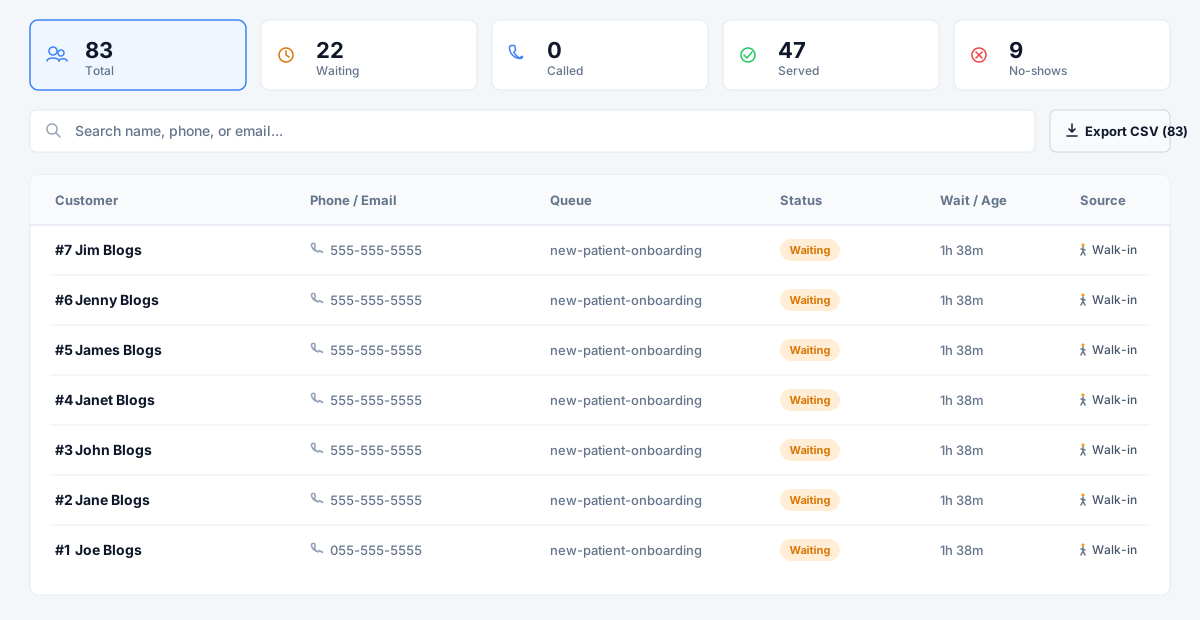
Customer log
Insights that matter. View visit history to help with accountability, coaching, and improving your guest experience.
Estimate time and walkaways you could recover
Long waits cost you real revenue through walkaways and poor reviews. See how much time and money iQueuing reclaims for your bottom line.
Estimated Monthly Impact
Illustrative model—not a guarantee. Estimates 91 prevented walkaways per month from your inputs.
Through automated routing and self-service check-ins.
Queue pricing
Start with Queue-only, or bundle both modules
Queue Starter includes TV slides and workflows. Queue Pro adds more queues and scheduled join. Platform Growth adds appointments, volume, and integrations.
Open calculator — Not sure how many messaging credits you need? Estimate your SMS & WhatsApp usage.
Queue Pro
€89 ex VAT/mo
- ✓3 team members included (owner + invites)
- ✓6 queues
- ✓300 messaging credits/mo
- ✓TV Lobby Display & Automations
Platform Flex
€149 ex VAT/mo
Saves $29/mo vs standalone
- ✓3 team members included (owner + invites)
- ✓5 queues and calendars
- ✓500 messaging credits/mo
- ✓Unified Front Desk & Shared CRM
Card required. New workspaces get a 7-day trial before the first charge. No-card trial is on Start free trial.
Heavy scheduled appointments too? Connect your digital waitlist with a unified scheduling calendar.
Explore Appointment Management